
DD-WRT Companion13.0.0-2 - Google Play
You'll be able to see results in few seconds.
Publisher Description
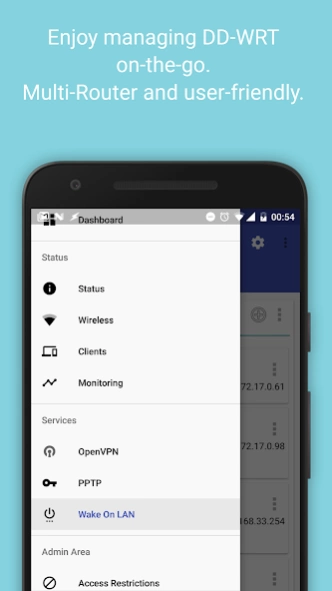
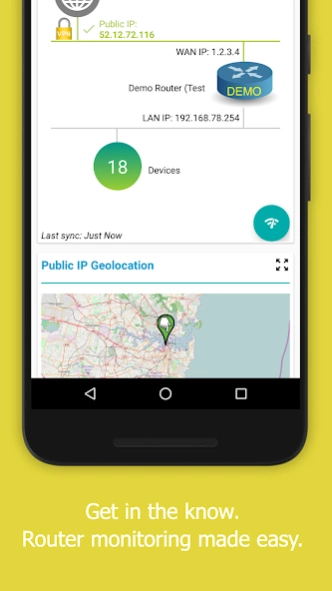
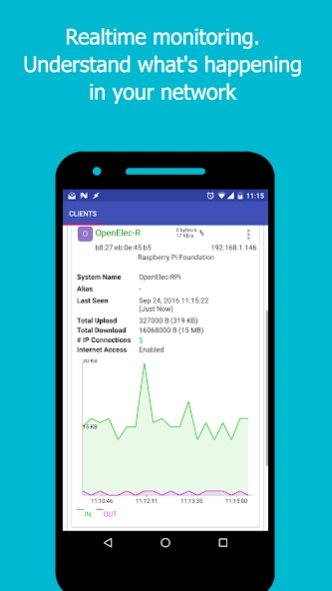
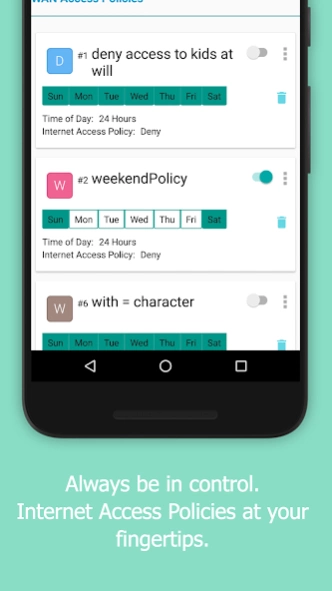
Mobile app that lets you monitor and manage your DD-WRT routers on the go.
DD-WRT is a Linux based alternative OpenSource firmware suitable for a great variety of wireless (WLAN) routers and embedded systems.
Had you ever tried to use the DD-WRT web interface on an Android device, you should have noticed how impractical it is to navigate with.
This app lets you monitor and manage your DD-WRT routers on the go. Anytime. Anywhere.
Management features are being added progressively.
This app requires Secure SHell (SSH) to be enabled (and working!) on the router (and maybe external access if your router is behind a NAT network).
See the support website for instructions on how to setup your router(s): http://help.ddwrt-companion.rm3l.org
DD-WRT Companion supports both private key and password-based SSH authentication methods. We do recommend you leverage strong public-private key authentication for SSH access.
Features
• Material Design UI, with Dark and Light themes
• Can handle multiple routers, each with different set of settings
• It supports both private key and password-based SSH authentication methods. Of course, such sensitive info is encrypted locally and never ever leave your mobile device.
• PIN protection
• Home Screen Widgets
• Access Restrictions (Parental Control)
• Speed Testing
• WAN connection status + Network Topology Map
• Traffic monitoring + sharing with detailed daily breakdown
→ Backup (as RAW or CSV) and Restore WAN Monthly Traffic Data
• List of hosts connected
→ Notifications - can also show up on wearable devices like smartwatches
→ View details on the network card manufacturer
→ Monitor Active IP Connections (overall and per-client)
→ Distribution Pie charts: view top hosts (destination IPs with the most active connections, or local hosts with the most active connections)
→ View name, IP and MAC addresses, Last Seen date, download/upload rates, total download/upload bandwidth usage, wireless network name, ...
→ View RSSI, Signal Strength and SNR for wireless clients
→ Various sorting and filters options
→ Monitor WAN (Internet) Realtime Traffic for each connected host, with the ability to disable or enable WAN Access with the click of a finger
→ Set local aliases, so you won't always have to remember which MAC Address belongs to which user/device
• Wake on LAN (WOL) support
• Syslog stream output, with keyword lookup and sorting capability
• Ability to set per-router preferences (sync interval, theme, ...)
• OpenVPN logs, with keyword lookup
• OpenVPN Client settings editing: for example, you can change the target VPN server
• Wireless Networks QR-Codes preview and sharing: you now no longer need to share your WiFi password to your guests. Just share the generated QR Code and they can connect instantly (provided they use a compatible QR Code scanner app)
• NVRAM variables listing, editing and sharing
• Actions on Router: reboot, hard-reset to default, backup / restore
• Toolbox utilities for your Router for troubleshooting potential issues: state-of-the-art network diagnostics tools (e.g., ping, traceroute, nslookup, ...) are included
• Commands: issue any commands to your router, remotely, and retrieve the output
• Home Screen Widgets
Please note that this app is not affiliated to the official DD-WRT project.
For details on which permissions we request and why, please see: https://help.ddwrt-companion.app/android/permissions.html
Notes
:
→ Some DD-WRT builds (such as r21061) reportedly have SSH connection issues. The issue is with the SSH server itself, not with this app.
If the app cannot connect to your Router, first ensure you can SSH into your Router from a computer, using the same credentials you provided to the app.
Feel free to reach out to me at apps+ddwrt@rm3l.org for any inquiries.
Support Pages
: https://help.ddwrt-companion.app
About DD-WRT Companion
The company that develops DD-WRT Companion is LemraS. The latest version released by its developer is 13.0.0-2.
To install DD-WRT Companion on your Android device, just click the green Continue To App button above to start the installation process. The app is listed on our website since 2020-03-01 and was downloaded 0 times. We have already checked if the download link is safe, however for your own protection we recommend that you scan the downloaded app with your antivirus. Your antivirus may detect the DD-WRT Companion as malware as malware if the download link to org.rm3l.ddwrt is broken.
How to install DD-WRT Companion on your Android device:
- Click on the Continue To App button on our website. This will redirect you to Google Play.
- Once the DD-WRT Companion is shown in the Google Play listing of your Android device, you can start its download and installation. Tap on the Install button located below the search bar and to the right of the app icon.
- A pop-up window with the permissions required by DD-WRT Companion will be shown. Click on Accept to continue the process.
- DD-WRT Companion will be downloaded onto your device, displaying a progress. Once the download completes, the installation will start and you'll get a notification after the installation is finished.
Program Details
System requirements
Download information
Pricing
Version History
version 13.0.0-2/95ec776a-google
posted on 2020-03-01
Enhancements and Bug Fixes:
Bug, reliability & performance fixes:
- Fixed issue with unhealthy speed test servers
version 12.0.0-4/1ea6dd10-google
posted on 2020-01-30
Enhancements and Bug Fixes:
Bug, reliability & performance fixes:
- Fixed issue with filtering and sorting in "Connected Hosts" tile
version 11.0.0-5/568c00d0-google
posted on 2019-06-19
/!\ Important
- Android Jelly Bean 4.1 or newer is now required
Enhancements:
- Reduced overall app download size
- Full compatibility with Android Pie 9.0: as a consequence, Location (Coarse) permission is required and used solely for reading WiFi Networks Names (SSIDs).
Bug, reliability & performance fixes:
- Fixed random SSH connection issues
- Fixed issues with ClearText HTTP requests
- Background Performance tweaks
- Fixed issue with firmware updates notifications
version 10.1.2-0/cd673738-google
posted on 2017-12-21
Enhancements and new features:
- Following your feedback, we are redesigning the Clients list, so action buttons can be much easier to manipulate
- Mapped WAN IP and LAN IP addresses to router name in Active IP Connections
- Added Number of Blocked Clients in Connected Hosts tile
- More cosmetic updates to overall design
Bug, reliability & performance fixes:
- Fixed potential bug preventing Active IP Connections and Wifi Sharing from opening. Also fixed percentage computation.
version 7.1.0
posted on 2016-09-21
1. New features,1.1 New logo,1.1 You can now PIN-Protect the app.,1.2 3rd-party integration: a new 'DD-WRT Companion Tasker Plugin' app is available for download to make the most of your routers,1.3 Sending feedbacks now easier, with the ability to annotate screen captures and attach logs,2. Bug, reliability & performance fixes,2.1 Fixed Access Control Filter bug: filter no longer changed to 'Deny',2.2 Fixed bandwidth monitoring graphs: now easier to read and use
Disclaimer
Official Google Play Link
We do not host DD-WRT Companion on our servers. We did not scan it for viruses, adware, spyware or other type of malware. This app is hosted by Google and passed their terms and conditions to be listed there. We recommend caution when installing it.
The Google Play link for DD-WRT Companion is provided to you by apps112.com without any warranties, representations or guarantees of any kind, so access it at your own risk.
If you have questions regarding this particular app contact the publisher directly. For questions about the functionalities of apps112.com contact us.
